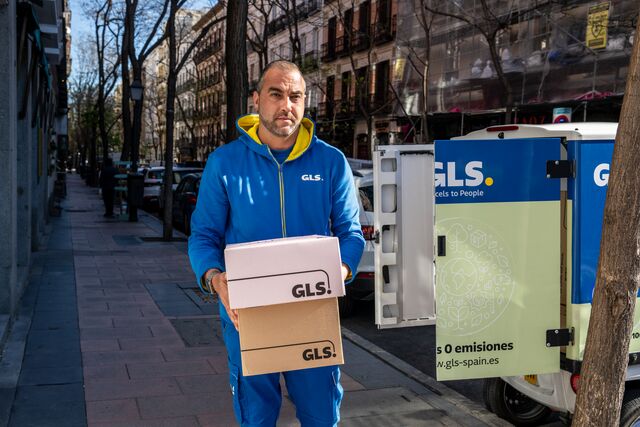
One of the advantages of shipping with GLS is that you can track your parcel in real time easily and conveniently. This allows you to check the status of your shipment at any moment, find out if there are any issues, or even make changes to the delivery to better suit your needs.
How can you track your parcel? Here’s all the information you need, step by step, to track your shipments.
How to access parcel tracking via the website or app
With GLS, tracking your parcel in real time is simple. Just go to the Shipment tracking section on our website or access it through the My GLS app to track your parcel at any time.
How to locate my parcel and check the shipment status
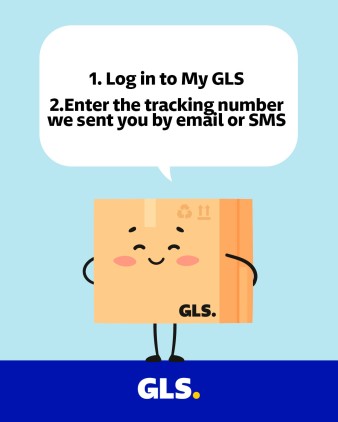
To track a parcel with GLS, you will need a shipment tracking number and the destination postcode.
If you are the sender, we will provide you with the tracking number so you can follow your shipment. If you are the recipient and do not have the tracking number, please contact your supplier to obtain it. In just two steps, you’ll have all the information you need about the status of your parcel.
If you register with My GLS using your telephone number, all orders associated with that number will automatically appear in your shipment history. It's that simple. There is no need to request tracking numbers or search through eCommerce confirmation emails.
Real-time parcel tracking: what information does it provide?
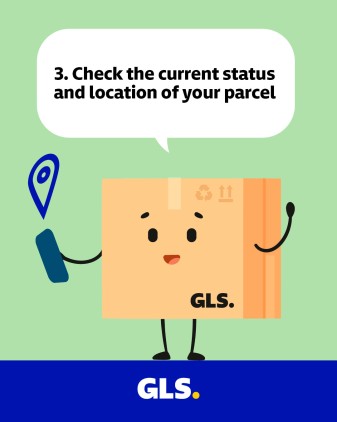
What do the parcel tracking updates mean ? Good question! When you enter the tracking number and postcode, you can access detailed information about your shipment, including where it is, when it will arrive, or whether any issues have occurred during the process.
Each shipment goes through the following stages:
- Label created. This means the shipment has been registered, but the parcel has not yet arrived at our facilities.
- Shipment collected by GLS. The parcel is already within our network, and we have started the delivery process.
- In transit. The parcel has left its origin location and is on its way to the depot responsible for delivery.
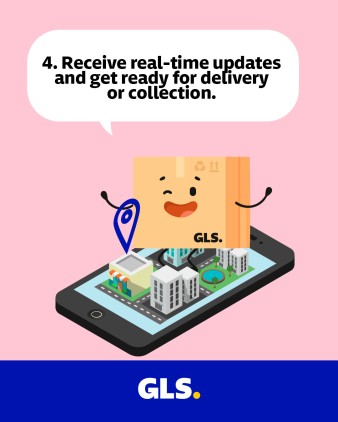
- Out for delivery. A GLS courier has your parcel and it is on the delivery route to its final destination. Don’t worry—when there are fewer than 10 stops remaining, real-time tracking will be activated so you can see exactly where it is.
- Delivered. The parcel has arrived. If you don’t have it in your possession, it means that an authorised person has collected it on your behalf.
If your parcel remains in the “Label created” status for several days, it means the sender has not yet handed the parcel over to GLS. In this case, we cannot provide delivery time information, and you should contact the supplier directly.
Activate notifications and reschedule your parcel delivery
One of the most useful services when receiving parcels with GLS is the shipment status notification service.
If you provided your email address when placing your order, we will notify you whenever:
- The parcel enters the GLS network.
- The parcel goes out for delivery.
- The parcel is marked as delivered.
This means you will always receive detailed shipment updates by email. If the eCommerce retailer does not provide us with your email address, we will notify you via SMS instead.
From these communications, you can manage your shipment by:
- Selecting a GLS Point or collection point. Ideal if you will not be at home when the delivery is scheduled or prefer not to wait for it.You can choose to collect your parcel from a Parcel Shop or Parcel Locker whenever it suits you.
- Suggesting a new delivery date. If the planned delivery day does not fit your schedule.
- Providing additional delivery instructions. Such as details that may help the driver locate the address or facilitate delivery.
- Authorising delivery to a neighbour. Allowing your parcel to be delivered to a concierge, building manager or neighbour.
To request a change of delivery address after the parcel has entered the GLS network, you must ask the sender (the retailer where you made the purchase) to authorise the modification.
Please note that if the change involves a different postcode, delivery may be delayed by one business day after the request has been approved.
WhatsApp: Activate Shipment Notifications
GLS also offers a proactive WhatsApp information service, allowing you to receive updates about your shipment and manage it directly through WhatsApp.
To receive notifications via WhatsApp, you must first authorise GLS to send this type of communication to your phone number.
Signing up is very simple:
1. Visit:
https://mygls.gls-spain.es/login
2. Enter the phone number you wish to register. Do not forget to include Spain’s international dialling code (+34).
3. Tick the box: "I consent to GLS contacting me via WhatsApp to provide information related to the tracking of my shipments."
4. Click "Accept".
5. Enter the verification code sent to you via SMS.
Benefits of real-time parcel tracking
The tracking service is ideal because it allows me to locate my parcel at any time and estimate when it will arrive at its destination. This brings numerous benefits for both individual customers and businesses:
- Improved customer satisfaction: greater transparency, constant status updates, delivery flexibility, and peace of mind.
- Improved logistics: route and cost optimisation, greater control, fewer errors and losses, faster issue resolution, and increased operational efficiency.
Parcel tracking is a key service to ensure full shipment traceability and minimise delivery delays. This level of accessibility reduces uncertainty for recipients and significantly enhances the overall delivery experience.